
Know where every tool build stands.
Lantern is project tracking for tooling programs. Every die, mold, and fixture you have in build — at every supplier — all on one shared, current picture, from kickoff to buyoff. Whether that’s 40 tools or 400.
It’s your tool. You just can’t see it.
You know your production line cold. Parts per hour, changeovers, preventive maintenance — when a line goes down, you know in minutes. Tool builds are a different story. You’re in them every week — design reviews, questions, tryouts — but the work happens in your supplier’s shop, sometimes an ocean away.
A tool build is never going to be as predictable as production. But it can be just as visible.
A milestone is done when the evidence says it’s done.
In Lantern, milestones complete on evidence. “Designs complete” means the design file is in the system. “Machining on track” comes with photos from the floor. Your suppliers submit the work itself — and your engineers sign off before the milestone moves. So when the board says a build is on schedule, that’s not optimism passed up the chain — click through to the proof.
And when the work isn’t right, it goes back — with the reason in writing, on the item itself. The shop fixes it and resubmits, and the whole exchange stays with the build.
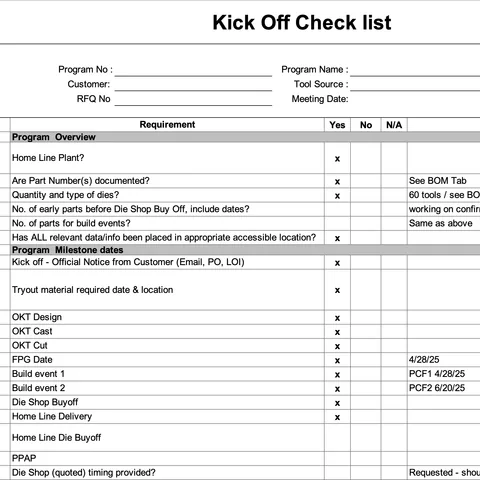
Kickoff
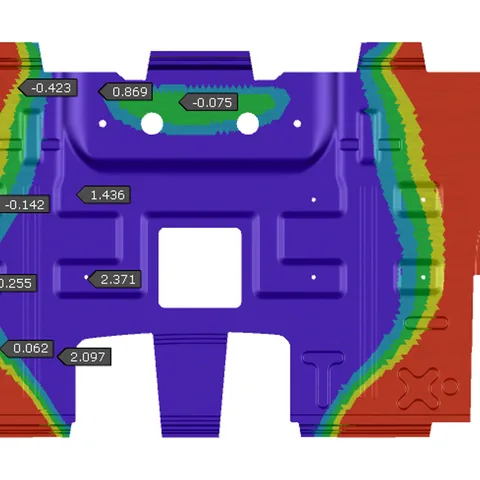
Simulation
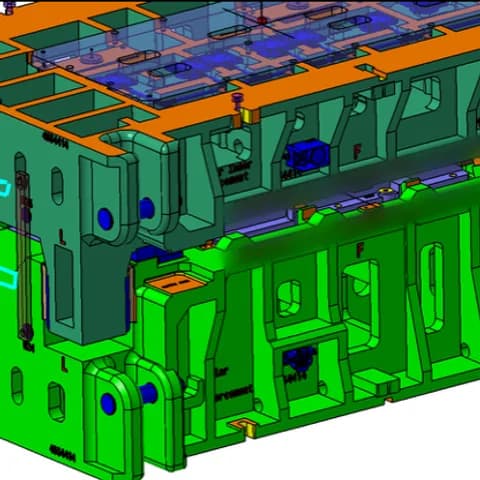
Design
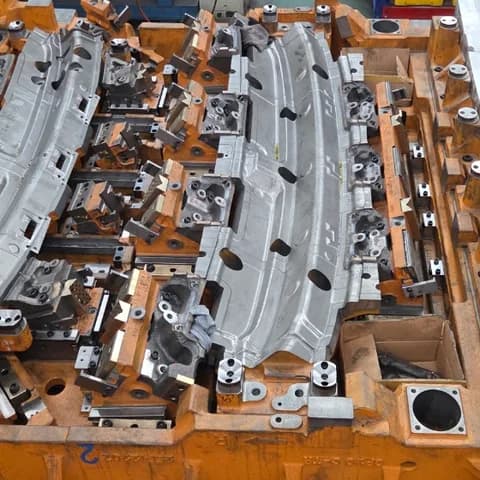
Machining
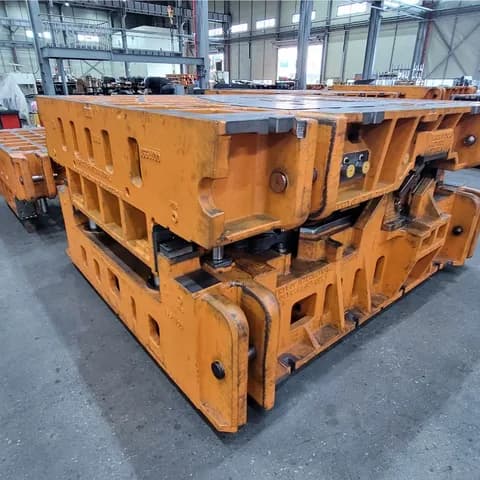
Assembly
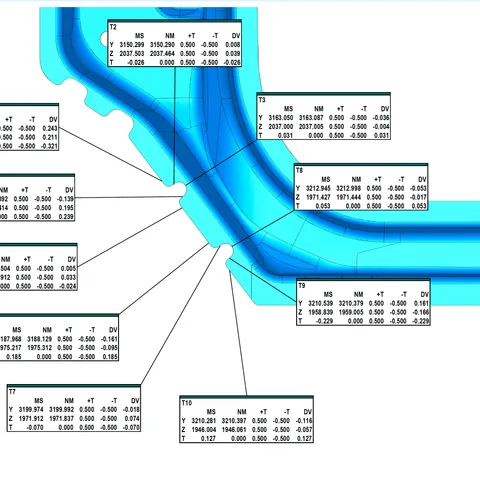
Quality Loop
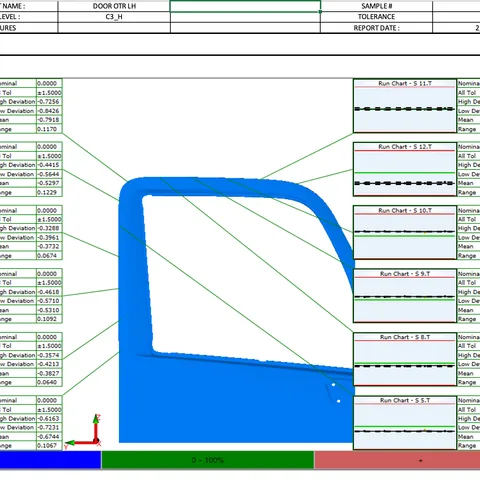
Buyoff
Status isn’t reported. It’s recorded.
Every build keeps its own running record — every submission, approval, issue, change, and date move, in order, with today marked and the plan ahead below it.
Six months from now, when someone asks why the tryout slipped, open the build and read what happened — written down as it happened, by the people who did it.
A spreadsheet is what someone typed. Lantern is what happened.
Ask about any tool. Get an answer — with the receipts.
Ask Lantern a question the way you’d ask a person: “Which builds are overdue at the supplier?” “What’s holding up the ROOF PANEL die?” “What changed on program 4088 this week?”
Every answer is built from your real project data, shows its work, and links into the project itself — one click from the milestone, the file, or the holdup.
It’s not a chatbot bolted on. It’s the fastest way into your own data — and you can always check it.
Everyone starts the day knowing what’s theirs.
My Work is each person’s slice of the program: every submission waiting on their review, every approval waiting on their decision, everything coming due — overdue worst-first at the top. Nobody has to remember. Nobody has to be reminded.
Open it in the morning, work the list. When your piece is done, it leaves your queue — and shows up in the next person’s.
From the floor to the project in one tap.
At your supplier’s press for tryout and something’s not right? Take the photo — it lands in the project, attached to the right build, visible to your whole team before you’re back in the parking lot.
Supplier visits, homeline tryouts, buyoffs: Lantern works on the phone in your pocket, so what you saw becomes part of the record.
A grid or a timeline. Whichever way you think.
Lantern’s list view works the way your master spreadsheet does — one row per tool build, your fields, your statuses, your part numbers, sorted and filtered your way. The difference is that it’s live. Nobody maintains it, and it never says “last updated three weeks ago.”
The timeline is the same program laid against the calendar — every milestone as a bar, so you can see where the work overlaps. Same builds, same data, shown a different way.
Every change, priced and answered.
A design change mid-build is money, time, or both. Lantern gives every change one paper trail: raise it on every affected build at once, your supplier prices it, your team reviews the quote, and the outcome — approved or rejected — is recorded on the build, with cost and due dates alongside.
When the work can’t wait for the paperwork, mark the change authorized to build: the shop starts now, the quote runs in parallel, and the record shows where both stand.
Your vocabulary, your workflows, your admins.
Every screenshot on this page is our demo org. Yours won’t look like it — Lantern is configured by your own admins, in your vocabulary, and changed whenever your process changes:
- Workflows
- — the milestone plan per tool type, and the evidence each milestone must carry. A progressive die and a transfer die don’t start from the same checklist.
- Structure
- — your words for tracks, stages, statuses, and delay reasons — and when “stalled” trips.
- Project fields
- — any attribute you track, with per-group edit rights.
- Key dates
- — your program events, overlaid on every timeline.
- Notifications
- — who gets told, and when, in your wording — with a sent log of exactly what was delivered.
- Dashboards
- — chart and KPI boards over live data, shared per group.
- Groups
- — a shop sees its builds; you see all of them.
- Assistant vocabulary
- — the assistant learns your words: “buy-off” finds buyoff.
Configuration your admins change the same day — not custom development.
“Will my suppliers actually use this?”
The largest tooling programs on Lantern run hundreds of builds at once — sourced from die shops across North America and Asia, delivered to every major North American OEM. The tools tracked in Lantern are running in production today — all built by suppliers submitting designs, posting progress, and closing milestones in Lantern.